
Text to GIF —Type a Scene, Get a Looping GIF
Describe motion, not keyframes: text-to-GIF here means writing a bouncing ball, steam rising from a ramen bowl, a cat batting at a laser dot. GPT Image 2.6 turns the words into an animated GIF of roughly nine frames at three speeds. Same flat price as a still image: 5 credits.
Shape
Speed
Powered by GPT Image 2.6 — free accounts include 6 credits, enough for your first GIF.
Text to GIF Examples —What Comes Out
An AI GIF generator turns a written description into a short looping animation: most generations come out around nine frames, in square 1:1, wide 16:9, or tall 9:16. Every example below is a real output from one prompt each, and the bouncing ball is the actual nine-frame GIF our editor produced.
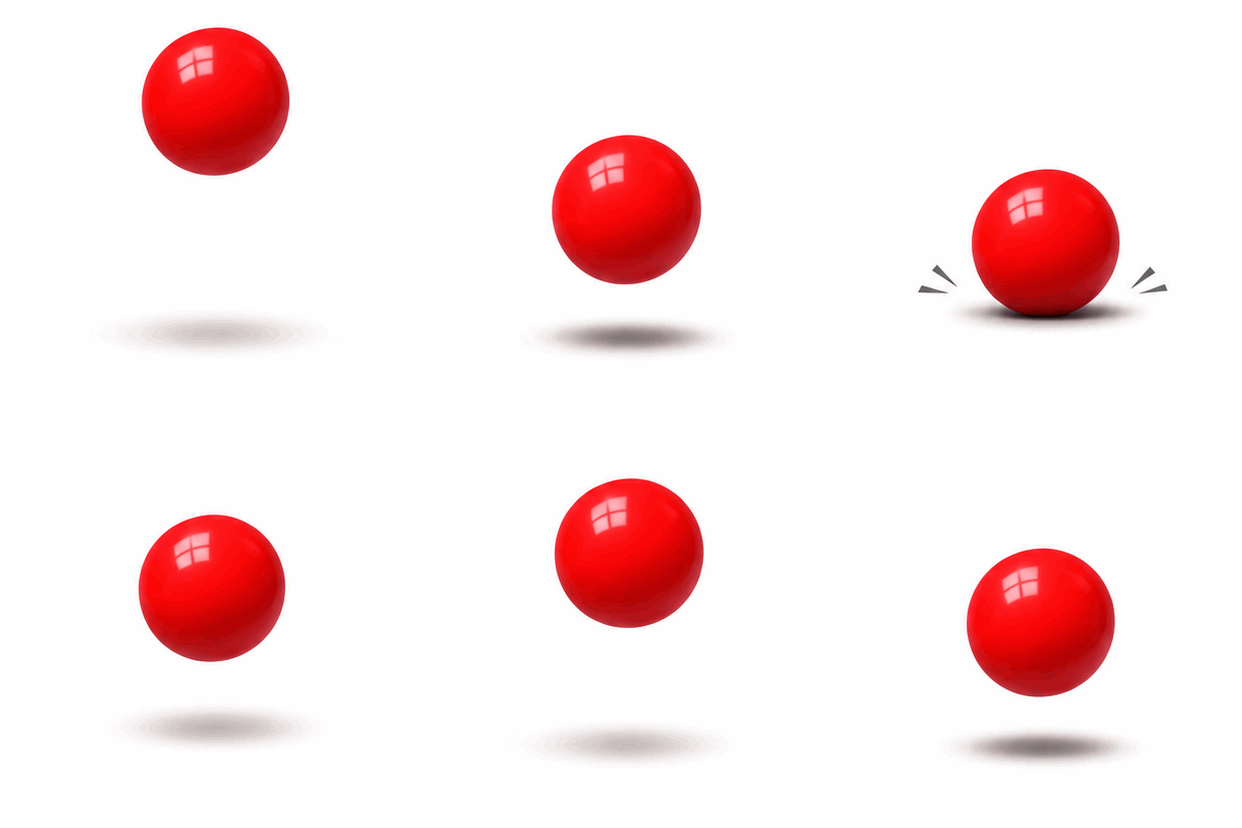 Loop: bouncing ball
A bouncing red rubber ball on a plain white background, simple loop animation, consistent lighting.
Why This Text-to-GIF Is Different
Classic text-to-GIF tools such as ezgif, Canva, and bloggif take the words you type and animate the letters themselves. An AI GIF generator does the opposite: it invents the frames. You describe a scene, and the model draws it and moves it, so the output is new animation rather than decorated text.
Generated Motion, Not Text Effects
Ezgif, Canva, and the rest take your caption and wiggle it. Here the model draws the whole scene and moves it: physics, smoke, water, expressions. You write what happens; the frames are invented.
Nine Frames, Three Speeds
Each GIF comes out around nine frames. Pick Slow, Normal, or Fast before generating and the same loop reads lazy, natural, or snappy.
Seven Aspect Ratios
Square 1:1 for chat stickers, 9:16 for phone wallpapers, 21:9 for banners and headers. The loop comes out at the shape you need.
Flat 5 Credits, Same as a Still
The provider charges animation the same as a static image on this channel, so we do too. One GIF, one price, no per-frame metering.
What Text-to-GIF Handles Well
Short loops built around one clear action work best in an AI GIF generator: a ball bouncing, steam rising, a sign flickering, a character waving. Single subjects on clean backgrounds loop cleanly because the first and last frames nearly match. Multi-subject scenes with several simultaneous motions tend to drift, so keep each GIF to one idea.
Physics Loops
Bouncing, spinning, pendulums, dripping. One object, one force, and the cycle closes back on frame one.
Rising and Falling
Steam off a bowl, bubbles in a glass, confetti drifting down. Vertical motion loops cleanly because the start and end states match.
Sticker Reactions
A character nodding, waving, or blinking. Deadpan face plus one small repeated motion reads perfectly at sticker size in 1:1.
Weather and Skies
Drifting clouds, falling snow, a flickering sunset. Wide ratios like 16:9 and 21:9 give the motion room to travel.
Product Micro-Loops
A rotating lipstick, pouring coffee, a pulsing glow behind a gadget. Simple loops that suit a store header or an ad slot.
Caption-Ready Frames
Ask for empty space on one side and drop your own caption in later, or ask for short in-image text and let the model render it.
Text-to-GIF Prompts —Copy & Animate
A reliable text-to-GIF prompt names three things: one subject, one motion, and a clean background, finished with the word loop. Compare 'a cat' with 'a gray cat pawing at a red laser dot, plain background, loop' — the second gives the model a cycle it can close. Copy any prompt below straight into the generator.
Bouncing Ball
physicsA bouncing red rubber ball on a plain white background, simple loop animation, consistent lighting.
Ramen Steam
foodA bowl of ramen seen from the side, steady steam rising and curling, dark wooden table, warm light, seamless loop.
Laser Cat
stickerA gray cat pawing at a red laser dot just out of reach, minimal background, deadpan face, small motion, loop.
Neon Flicker
signageA pink neon OPEN sign flickering on a brick wall at night, occasional buzz of light, steady composition, looping.
Pouring Coffee
productSlow motion pour of black coffee into a glass cup on a marble counter, steam wisps, cafe light, seamless loop.
Falling Snow Town
sceneA miniature paper town under gentle falling snow, tilted diorama view, soft studio light, snow looping endlessly.
Loading Dots
uiThree teal dots pulsing in sequence on a charcoal background, evenly spaced, perfect loading animation loop.
Waving Astronaut
characterA small astronaut in an orange suit waving slowly at the camera, stars drifting behind, dark background, gentle loop.